Writing 4 min read
Introducing Money Diary
A finance tracker where you log money by typing a sentence. What it does, how to start, and how to handle accounts, lending and split bills.

Zain Haroon — Full-stack Engineer
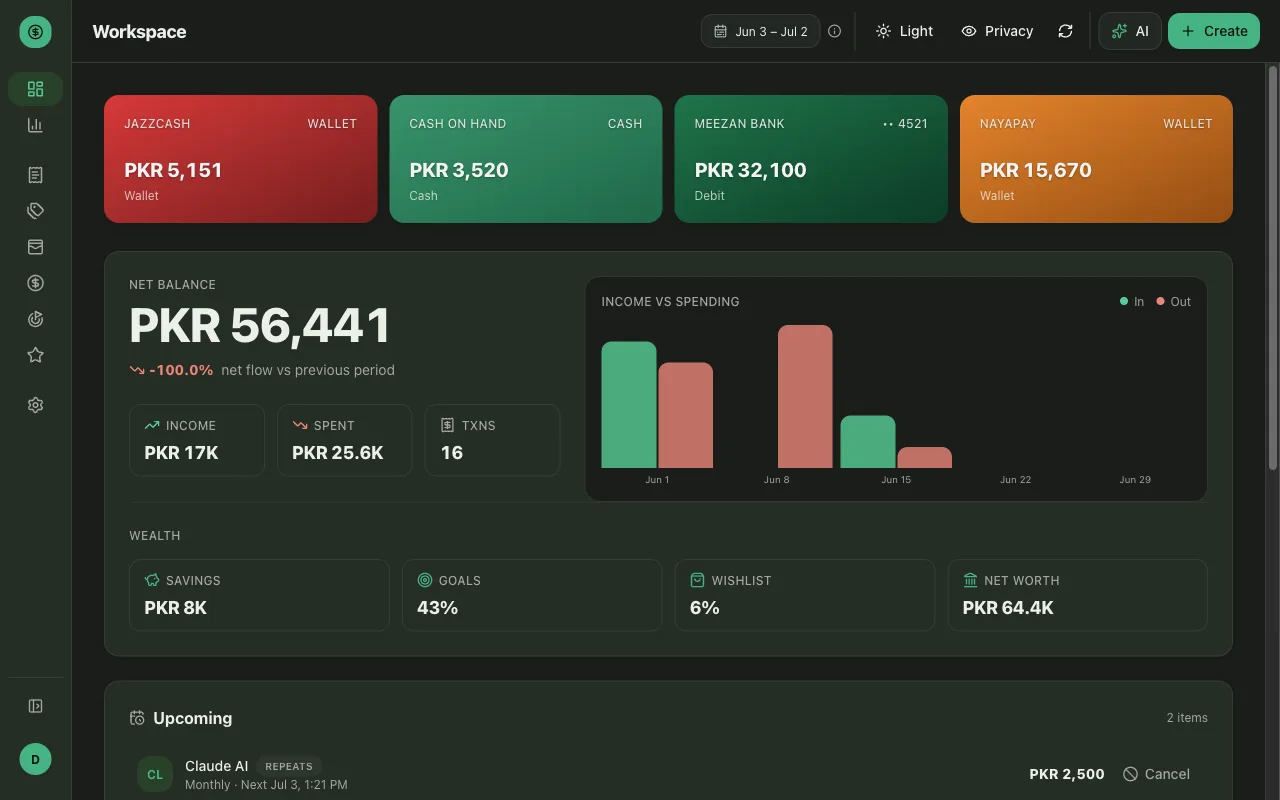
I built Money Diary because I wanted a spending diary I could actually keep. Writing things down on paper works right up until you want to ask it something — “how much did I spend on food last month?” — and a notebook just stares back. Money Diary is the version of that diary you can talk to.
This post is the practical one: what it does and how to use it. If you want the build story — the architecture, and how I made an AI assistant safe enough to write to a financial ledger — that’s on the project page.
What it does
At its simplest, it tracks your money. But it’s careful about what kind of money each thing is, because that’s what keeps your totals honest:
- Transactions — money in or out between you and the world.
- Savings — money you move into or out of a savings pool.
- Goals — a target you’re saving toward, with progress tracked.
- Wishlist — things you want to buy someday, parked in one place.
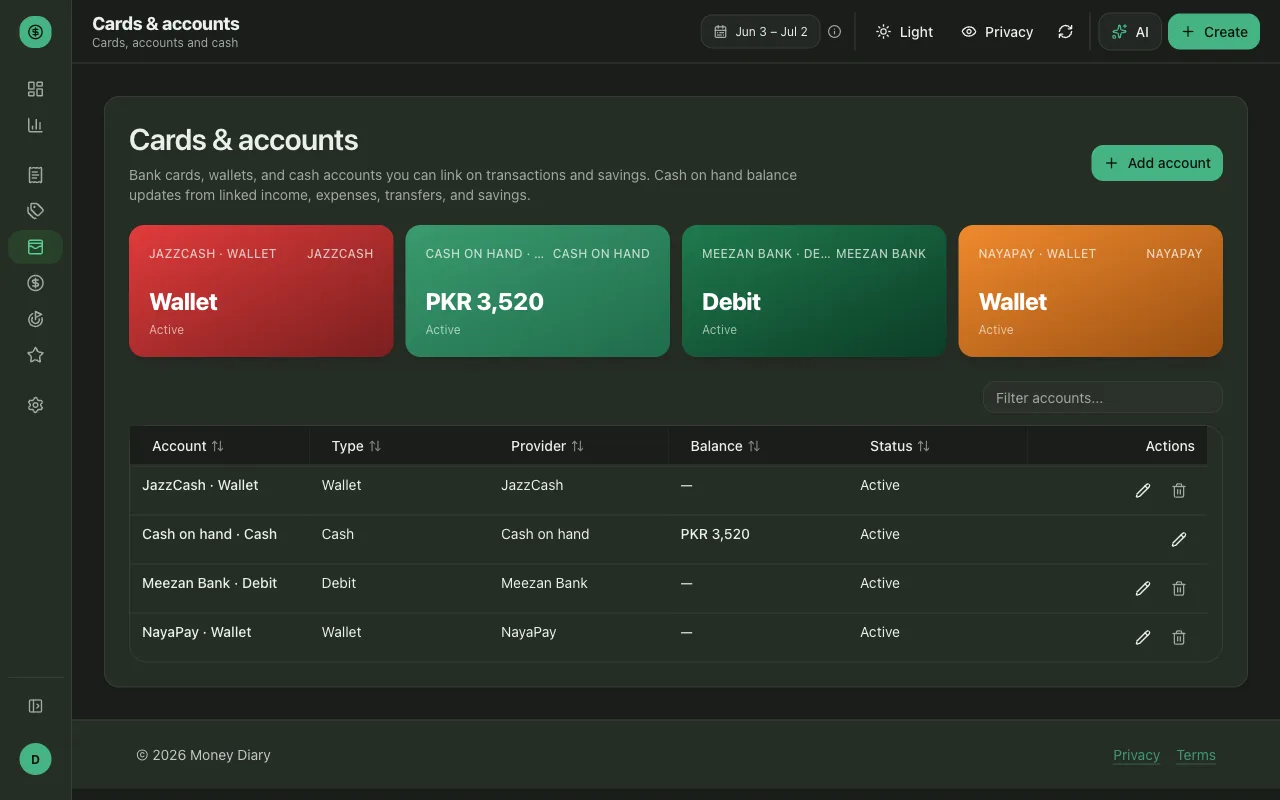
- Accounts — each card, wallet, bank or cash pile the money lives in.
On top of all of it is a dashboard with your balances, and an analytics page that breaks down income, spending and savings across any date range you pick.
Getting started (do this first)
The single thing that makes every number in the app trustworthy is setting up your accounts with real starting balances. Do this before you log anything else:
- Add a card / account for each place your money actually lives — your bank, your wallet, cash on hand. This is under Cards & accounts.
- Give each one its current balance as the starting balance. This is the step people skip, and it’s why other trackers show numbers that drift — if the app doesn’t know you started with 40,000 in the bank, every balance it shows afterwards is wrong. Enter what’s really there today.
- Then log a transaction against that account. From that point on the running balance stays correct on its own.
Get those two things right — an account per wallet, and honest starting balances — and the dashboard becomes something you can actually rely on rather than a rough guess.
Logging money — the fast way
This is the part that makes it stick. Instead of filling out a form, you write a sentence:
spent 500 on groceries from my HBL card
…and a transaction shows up, categorised, on the right account. You can log a few at once, correct one by saying so, or snap a photo of a receipt and let it read the details in for you.
The same goes for the rest: “put 10k into savings”, “add AirPods to my wishlist”. You describe what happened; it files it correctly.
Lending and splitting
Two features worth setting up properly, because they’re where a tracker usually goes wrong:
- Lending money. When you lend someone money, record it as a loan — the app tracks who owes you what and keeps it out of your spending totals, so a 5,000 loan to a friend doesn’t read as 5,000 gone. When they pay you back, mark it and the balance closes out.
- Splitting a bill. Tell it you split dinner and it records your full share as an expense plus a receivable for what each person owes you back — so a shared bill is never double-counted, and you can see at a glance who still hasn’t settled up.
Paying a friend back, by the way, gets recorded as an expense, not a transfer — which sounds obvious but is exactly the distinction most apps blur.
The AI assistant
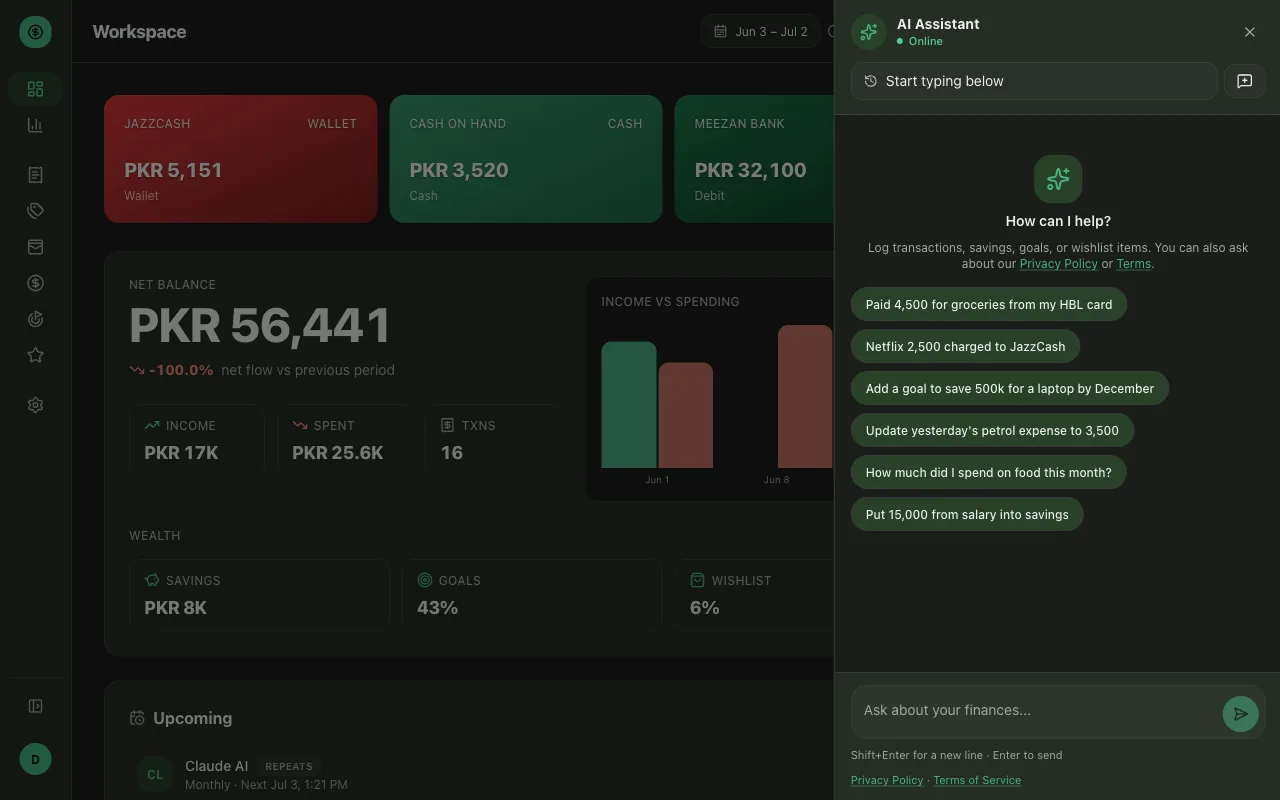
The assistant is the front door to almost everything. Two things it’s good for:
- Logging without friction. A sentence beats a form every time, and it’s the reason I actually keep up with it instead of abandoning it after a week.
- Asking questions. Because it can read your data back, you can ask things a spreadsheet won’t answer conversationally — “what did I spend on eating out in June?”, “how close am I to my laptop goal?” — and get a real number, not a guess.
A couple of things worth knowing so you trust it: it can only ever see and change your data — there’s nothing you can type that makes it touch someone else’s — and anything that looks like a loan or a shared bill, I’d still glance over yourself before relying on it. It handles those well, but a quick check never hurts.
Try it
It’s live at money-diary.zainharoon.com. It’s a personal project, not a polished product — I use it myself daily and a few friends are on it — but it’s real and it works. This is the first of a few posts I want to write about it; the next ones will go deeper into specific parts.